iPhone Upgrade: Navigating Apple's App Store Subscription Services
Beyond the Hardware: The Subscription Factor in iPhone Upgrades
For years, the iPhone upgrade conversation has centered on hardware: camera improvements, processor speed, display technology, and design refinements. While these remain important factors in 2026, Apple's growing ecosystem of subscription services now plays a significant, and often overlooked, role in the upgrade decision. Understanding these services and their associated costs is crucial for making informed choices and maximizing the value of your iPhone.
Editor's pick: Refurbished iPhones on Amazon → As an Amazon Associate, this site earns from qualifying purchases.
The Entrenchment of Apple's Services
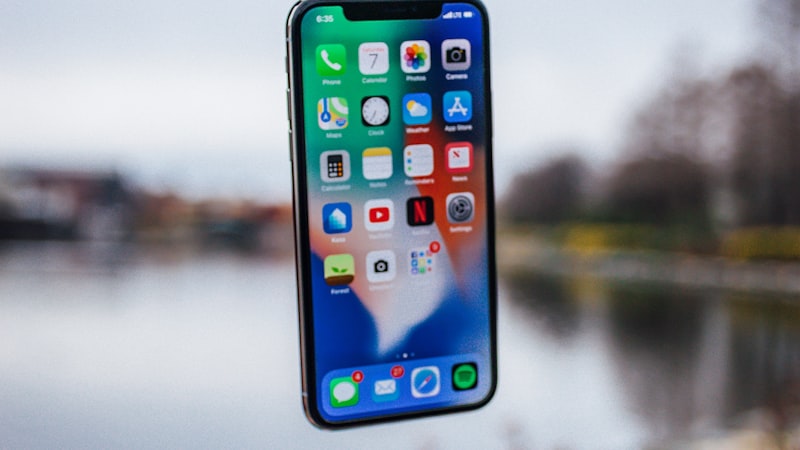
Apple's services revenue has become a cornerstone of its business model. Services like Apple Music, Apple TV+, iCloud+, Apple Arcade, and Apple Fitness+ are designed to integrate seamlessly within the Apple ecosystem, creating a compelling and convenient user experience. This integration, however, also creates a certain level of 'stickiness'. Users heavily invested in these services may find it more difficult, or less appealing, to switch to a different platform.
Subscription Costs: The Long-Term Investment
When evaluating an iPhone upgrade, it's essential to consider the long-term financial implications of these services. A shiny new iPhone might seem tempting, but the ongoing subscription costs can quickly add up. For example, a user subscribed to Apple Music, Apple TV+, iCloud+ (for sufficient storage), and Apple Arcade could be paying upwards of $40 per month. Over a two-year period, this translates to nearly $1000. This figure needs to be factored into the total cost of ownership when deciding whether to upgrade or stick with an existing device. Many families are now opting for Apple One subscription bundles, which can offer significant savings if multiple services are used regularly.
Storage Needs and iCloud+
iCloud+ is often a critical service influencing upgrade decisions, particularly regarding storage capacity. With ever-increasing file sizes for photos and videos, and the growing demand for cloud backups, users often find themselves needing more iCloud storage. Upgrading to a new iPhone with a larger internal storage capacity can delay the need for increased iCloud storage, but the cost of the larger capacity iPhone needs to be weighed against the monthly cost of iCloud+ subscriptions. Smart strategies include optimizing photo storage settings and regularly backing up to a local drive to minimize cloud storage needs.
The Upgrade Cycle and Service Compatibility
Apple generally maintains software compatibility for several years, ensuring that older iPhones can still access and utilize its services. However, older devices may not be able to take full advantage of new features or experience optimal performance, especially with graphically intensive apps or services like Apple Arcade. This creates a subtle pressure to upgrade to newer hardware to ensure a smoother and more enjoyable experience with these subscription services.
Making Informed Decisions
To navigate this landscape effectively, consider the following:
- Assess your current service usage: Identify which Apple services you actively use and their associated costs.
- Evaluate your storage needs: Determine if you can manage with your current storage or if you need to upgrade both your iPhone's internal storage and iCloud+ plan.
- Compare the total cost of ownership: Factor in the upfront cost of the new iPhone plus the projected cost of subscription services over the lifespan of the device (typically 2-3 years).
- Explore alternative strategies: Consider options like optimizing storage usage, utilizing family sharing for services, or exploring alternative, potentially cheaper, cloud storage solutions.
Beyond Hardware Features
The iPhone upgrade decision is no longer solely about hardware specifications. Apple's subscription services have become an integral part of the overall user experience and a significant factor in the long-term cost of ownership. By carefully evaluating your service usage and considering the total cost, you can make a more informed decision and ensure that your next iPhone upgrade aligns with your needs and budget.
Questions readers ask
Does upgrade app store subscription require new developer APIs, or can existing apps adapt?
Apple historically ships a quiet developer API the year before the hardware lands, so existing apps that follow human-interface guidelines should adapt with modest work. Apps that hard-code layouts will need updates.
What would convince a sceptical reviewer that upgrade app store subscription is worth it?
Hands-on time is the only honest test. A reviewer's first hour with the device tells them whether upgrade app store subscription is solving a real problem they had, or a feature looking for a use case. The reviews following launch will be the verdict.
Will upgrade app store subscription replace the current model or sit alongside it?
The likeliest path is co-existence — a new variant alongside the existing lineup, not a replacement. Apple's segmentation playbook keeps the older model around at a lower price for at least one cycle to absorb the gap.
How does upgrade app store subscription stack up against what Samsung or Google already ship?
Android OEMs reached this corner of the market first, but they did so with looser tolerances on durability and software polish. Apple's bet is that arriving second with a tighter integration story wins more buyers than arriving first.
In short — what's the takeaway on making informed decisions?
It comes back to whether Apple can ship upgrade app store subscription without compromising the parts of the iPhone people already pay for. The detail in this section is where that case is made or broken.