Is Your Older iPhone's Display Still Holding Up? What to Know Before Upgrading
The iPhone display is arguably the most crucial component of the user experience. It's where we consume content, interact with apps, and capture memories. While Apple has consistently pushed the boundaries of display technology, the question for many iPhone Evolve readers remains: how long does that cutting-edge quality truly last, and is your older iPhone's screen still performing well enough to postpone an upgrade?
Editor's pick: Refurbished iPhones on Amazon → As an Amazon Associate, this site earns from qualifying purchases.
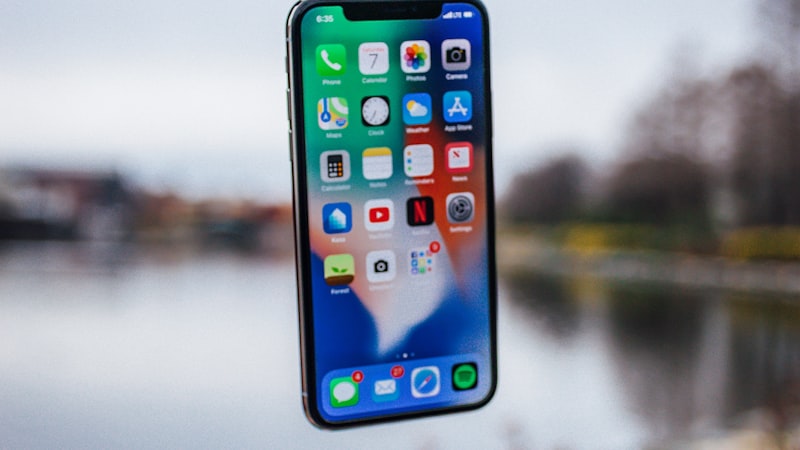
In 2026, with the iPhone 15 series representing the current pinnacle, many users are holding onto models from the iPhone 12, 13, or 14 generations. These devices still offer robust performance, but the display is one area where subtle, or sometimes significant, differences can emerge over time and across generations.
The Evolution of iPhone Displays and Their Endurance
Apple's display journey has seen remarkable progress, moving from LCDs with Retina density to vibrant OLED panels, and later introducing ProMotion adaptive refresh rates on Pro models. Key advancements include:
- OLED Technology: Starting with the iPhone X, OLED brought perfect blacks, incredible contrast, and wider color gamuts to the mainstream iPhone lineup. These panels, while stunning, can be susceptible to burn-in, though Apple's implementation has made this rare for most users.
- Peak Brightness: Each new generation often boasts higher peak brightness, crucial for HDR content and outdoor visibility. An iPhone 15, for instance, offers significantly higher sustained and peak brightness than an iPhone 12.
- ProMotion: Introduced with the iPhone 13 Pro, ProMotion allows for adaptive refresh rates up to 120Hz, making scrolling and animations noticeably smoother. Non-Pro models still operate at a standard 60Hz.
- Ceramic Shield: While not directly affecting visual quality, the Ceramic Shield front cover, introduced with the iPhone 12, has improved durability, indirectly helping maintain a pristine viewing surface.
Assessing Your Current iPhone's Display Quality
Brightness and Visibility
Does your iPhone still get bright enough for comfortable viewing in various lighting conditions? Over years of use, particularly with high brightness settings, OLED panels can experience a subtle reduction in peak luminance. Test your phone outdoors on a sunny day or when viewing HDR content. If you find yourself constantly cranking the brightness to max and still struggling, newer generations offer substantial improvements. An iPhone 15 Pro, for example, can reach up to 2,000 nits outdoors, a significant leap over earlier OLED models.
Color Accuracy and Uniformity
Are colors still vibrant and true-to-life? Compare your screen to a known good display if possible. Look for any discoloration, tinting, or unevenness, especially on solid color backgrounds. While OLED burn-in is much less common on modern iPhones than early OLED screens, it's worth checking for ghosting or persistent imagery if you frequently display static elements for long periods.
Pixel Density and Clarity
Most modern iPhones have maintained a high pixel density (Retina display), so individual pixels are generally imperceptible. Unless you're upgrading from a much older, non-Retina device (which is unlikely for iPhone Evolve readers), this aspect is less likely to be a primary driver for an upgrade. The clarity will largely be determined by the display's health and the absence of scratches.
Key Display Features You Might Be Missing
Always-On Display (iPhone 14 Pro and newer)
For those with an iPhone 14 Pro, 14 Pro Max, 15 Pro, or 15 Pro Max, the Always-On Display provides glanceable information without needing to tap your screen. If you frequently check the time, widgets, or notifications from afar, this feature can be a genuine convenience that an older iPhone simply cannot replicate.
Dynamic Island (iPhone 14 Pro and newer)
Replacing the traditional notch, the Dynamic Island offers a dynamic, interactive area for alerts, activities, and interactions. While its core functionality can be found in other forms on older iPhones, the seamless integration and fluid animations of the Dynamic Island provide a unique user experience. For some, it's a compelling reason to upgrade for a refreshed front-facing design.
Enhanced HDR and Peak Brightness
Newer iPhones offer dramatically improved HDR capabilities, showcasing movies and photos with greater dynamic range and detail in both highlights and shadows. If you consume a lot of HDR content, the difference between an iPhone 12 and an iPhone 15 can be striking. This also directly impacts outdoor visibility and readability.
ProMotion Smoothness
If you're still on a 60Hz display (e.g., iPhone 12, 13, 14, or standard 15 models), the jump to a ProMotion display (iPhone 13 Pro, 14 Pro, 15 Pro) offers a noticeably smoother scrolling experience across iOS. For users who spend hours browsing, reading, or playing games, this can significantly reduce eye strain and fatigue.
When to Consider an Upgrade Based on Display
Your older iPhone's display might be more resilient than you think. However, an upgrade might be warranted if:
- Your screen has noticeable dimming, color shifts, or uniformity issues that impact your daily use.
- You frequently struggle with outdoor visibility or find HDR content on your device lacking.
- You desire the convenience of the Always-On Display or the interactive nature of the Dynamic Island.
- You crave the buttery-smoothness of ProMotion and find your 60Hz screen feels sluggish.
- Your screen is physically damaged (cracked), and the repair cost approaches a significant portion of a refurbished or newer model's price.
For a deeper dive into the technical aspects of display technologies like OLED and ProMotion, you might find our guides at iPhone View insightful. Ultimately, the decision rests on your personal usage patterns and how much value you place on these display advancements. A well-maintained older iPhone display can still offer an excellent viewing experience in 2026, but being aware of what you might gain from an upgrade can help you make an informed choice.