Keeping Your iPhone's Hardware Healthy: A Guide to Maintaining Buttons, Speakers, and Ports
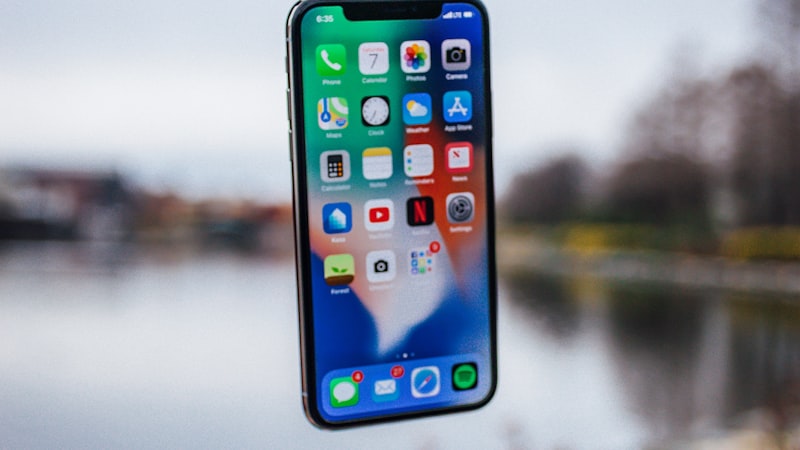
Extending the functional life of your iPhone involves more than just software updates and battery management. The physical components you interact with daily—buttons, speakers, microphones, and charging ports—are critical for a seamless user experience. For those aiming to keep an older iPhone running smoothly or ensuring a refurbished device lasts, proactive hardware maintenance is indispensable.
Editor's pick: Refurbished iPhones on Amazon → As an Amazon Associate, this site earns from qualifying purchases.
Maintaining Buttons: Power, Volume, and Mute
The tactile responsiveness of your iPhone's buttons is vital. Dust, lint, and grime often accumulate around the Power, Volume, and Mute/Ring-Silent switch, causing stickiness or unresponsiveness, especially in older models or those used without a case.
- Regular Cleaning: Use a soft, dry, lint-free cloth. For stubborn grime, a cotton swab lightly dampened with isopropyl alcohol can be effective, ensuring no liquid seeps into openings.
- Protective Cases: A good case, particularly one with covered buttons, significantly reduces dust and debris ingress. As explored in our guides at iPhone Arc, the right case offers both drop protection and component shielding.
- Gentle Use: Avoid excessive force. Consistent rough handling accelerates wear on internal mechanisms.
Clear Audio: Speakers and Microphones
Clear audio for calls, media, and voice commands relies on clean external speakers and microphones. Grilles often collect lint, dust, and particles, leading to muffled sound or reduced microphone sensitivity.
- Gentle Brushing: A soft-bristled, clean toothbrush can dislodge debris from grilles. Brush gently.
- Compressed Air (with Caution): Use short, controlled bursts from a distance, holding the can upright. Avoid forcing debris further in or pointing directly for extended periods.
- Avoid Liquids: Despite water resistance, direct liquid exposure to grilles can cause permanent damage. If using alcohol, ensure it's minimally damp.
Charging Port Care: Power and Data Integrity
The Lightning or USB-C port is frequently used, making it susceptible to wear. Pocket lint and foreign objects can accumulate deep within, causing intermittent charging, slow data transfer, or poor cable connection.
- Inspect and Clean: Use a flashlight to inspect the port. Gently extract debris with a non-conductive tool like a wooden toothpick. Avoid damaging internal pins.
- Avoid Metal Objects: Never use metal tools (e.g., paperclips) to clean the port; this risks short-circuiting pins.
- Proper Cable Handling: Always grip the connector when plugging or unplugging to reduce strain on the port and cable.
Haptic Feedback: Taptic Engine Responsiveness
The Taptic Engine provides subtle vibrations for alerts, enhancing user experience. While less exposed externally, its performance can be affected by drops or prolonged strong vibrations.
- Protective Measures: A quality case absorbs shock from drops, protecting internal components like the Taptic Engine.
- Software Settings: If haptic feedback seems less precise, ensure software is updated and check haptic intensity settings in "Settings" > "Sounds & Haptics."
General Practices for Physical Longevity
- Avoid Extreme Environments: High humidity, excessive dust, or extreme temperatures accelerate component wear.
- Handle with Care: Prevent drops and impacts.
- Regular Inspections: Periodically examine your iPhone's physical condition. Early detection prevents minor issues from escalating.
Conclusion
Maintaining the physical integrity of your iPhone's buttons, speakers, ports, and haptic engine is crucial for extending its overall lifespan. These small, consistent efforts preserve functionality and ensure a more enjoyable, reliable user experience. By integrating these simple maintenance routines, you can keep your older iPhone responsive and performing optimally, delaying the need for an upgrade or ensuring your refurbished device remains in excellent condition.
Questions readers ask
How does hardware health maintenance guide stack up against what Samsung or Google already ship?
Android OEMs reached this corner of the market first, but they did so with looser tolerances on durability and software polish. Apple's bet is that arriving second with a tighter integration story wins more buyers than arriving first.
Have patents or job listings hinted at hardware health maintenance guide?
Yes — recent USPTO filings reference adjacent mechanisms, and Apple has been quietly posting roles in the relevant hardware and software teams. None of that guarantees a ship date, but it confirms the project is actively staffed.
Who is the realistic day-one buyer for hardware health maintenance guide?
Enthusiasts and developers buy the first run. Mainstream adoption tracks the second-generation revision, once the rough edges are sanded down and the price comes in roughly $100 lower at the same tier.
Does iOS need rearchitecting to make hardware health maintenance guide work properly?
Apple would need a window manager or surface-handling layer in iOS to do this well. The plumbing already exists on iPadOS in a limited form, so the engineering question is less invention and more refinement.
In short — what's the takeaway on more from iphone evolve?
It comes back to whether Apple can ship hardware health maintenance guide without compromising the parts of the iPhone people already pay for. The detail in this section is where that case is made or broken.