Extending Your iPhone's Lifespan: Practical Battery Health Strategies for 2026
In an era of rapid technological cycles, holding onto your iPhone for more than a couple of years has become a conscious choice, often driven by both environmental awareness and economic prudence. While Apple continuously refines its hardware and software, a key factor in extending the usability of any iPhone beyond its initial honeymoon period is the health of its battery. A well-maintained battery can mean the difference between a device that feels sluggish and one that continues to perform reliably for years.
Editor's pick: Refurbished iPhones on Amazon → As an Amazon Associate, this site earns from qualifying purchases.
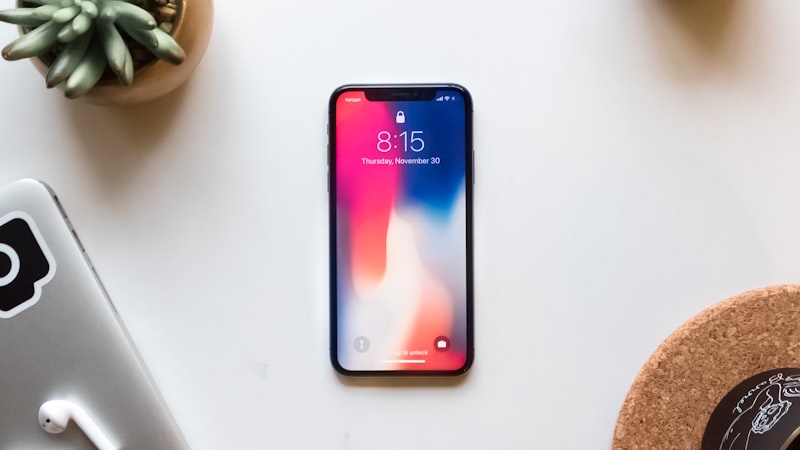
For many iPhone users in 2026, the question isn't just about whether the latest model offers compelling new features, but rather how to squeeze more years out of their current, perfectly capable device. The battery, being a consumable component, inevitably degrades over time. However, understanding and implementing smart practices can significantly slow this process, saving you money and reducing electronic waste.
Understanding Your iPhone's Battery Health
Your iPhone provides a direct window into its battery's condition via Settings > Battery > Battery Health & Charging. Here, you'll find "Maximum Capacity," a percentage indicating your battery's current capacity relative to when it was new. Below 80%, Apple suggests that your battery might be nearing the end of its optimal lifespan. You may also see "Peak Performance Capability," which will inform you if your iPhone's performance is being managed to prevent unexpected shutdowns due to a degraded battery.
Lithium-ion batteries, like those in iPhones, degrade due to a combination of charge cycles, age, and exposure to environmental factors, primarily temperature. Each full charge and discharge cycle contributes to this degradation, albeit slowly. The goal is to minimize the stresses that accelerate this natural aging process.
Optimizing Charging Habits for Longevity
How you charge your iPhone has the most significant impact on its long-term battery health:
- Embrace Optimized Battery Charging: This feature, found in Battery Health & Charging settings, learns your daily charging routine. It aims to charge your iPhone to 80% quickly, then holds it there until closer to when you typically unplug it, at which point it finishes charging to 100%. This reduces the time your battery spends at its highest stress state.
- Avoid Extreme Charges: Constantly draining your battery to 0% and then charging it to 100% puts more stress on the cells. While not always practical, aim to keep your battery between 20% and 80% for daily use when possible. Short, frequent charges are generally better than full deep cycles.
- Use Quality Chargers and Cables: Always use MFi (Made for iPhone) certified accessories. While third-party chargers can be cheaper, non-certified or faulty ones can provide inconsistent power, potentially harming your battery over time.
- Don't Overcharge (Literally): Leaving your iPhone plugged in at 100% for extended periods, especially overnight, can contribute to degradation. Optimized Battery Charging helps mitigate this, but it's still a good habit to unplug once fully charged if possible.
Temperature Management is Crucial
Heat is the enemy of lithium-ion batteries. Exposure to high temperatures can irreversibly reduce battery capacity and shorten its lifespan significantly:
- Avoid Direct Sunlight and Hot Environments: Never leave your iPhone in a hot car, on a sunny windowsill, or in direct sunlight for prolonged periods.
- Remove Cases During Intensive Use/Charging: If your iPhone feels hot during demanding tasks like gaming, video editing, or while fast-charging, consider removing its case. This allows for better heat dissipation.
- Beware of Cold Extremes: While less damaging than heat, extremely cold temperatures can temporarily reduce battery life and cause unexpected shutdowns.
Smart Software Settings and Usage
Your iPhone's software settings also play a role in battery drain, which indirectly affects its lifespan by increasing charge cycles:
- Review Background App Refresh: Go to Settings > General > Background App Refresh. Disable this for apps you don't need constantly updated in the background.
- Manage Location Services: In Settings > Privacy & Security > Location Services, review which apps have access to your location and set them to "While Using" or "Never" where appropriate.
- Utilize Dark Mode: For iPhones with OLED displays (iPhone X and newer), Dark Mode can significantly reduce power consumption as it turns off individual pixels for black areas. As we've explored in our analysis of display technology at iPhone View, OLED's self-emissive nature makes this a genuine power saver.
- Adjust Screen Brightness: While auto-brightness is generally good, manually lowering brightness in well-lit environments can save considerable power.
- Enable Low Power Mode: When your battery is low, Low Power Mode temporarily reduces background activity, visual effects, and disables some features to conserve power. It's a useful tool for extending a single charge.
When a Battery Replacement Makes Sense
Despite best efforts, all batteries eventually degrade. If your Maximum Capacity drops below 80% and you experience noticeable performance slowdowns or significantly reduced daily usage time, a battery replacement may be a cost-effective alternative to buying a new iPhone.
Apple offers official battery replacement services, which often include a diagnostic check and ensure genuine parts. For many, a new battery can breathe new life into an otherwise perfectly functional iPhone, pushing its usable lifespan for another two to three years and providing excellent value compared to the cost of a brand-new device.
Conclusion
Extending your iPhone's lifespan through diligent battery care is a practical and financially smart decision in 2026. By understanding how your battery works, adopting smarter charging habits, managing temperature exposure, and optimizing your device's software settings, you can ensure your iPhone remains a reliable companion for many years to come. It’s an investment in the longevity of your technology, proving that sometimes, the best upgrade is the one you don't have to make.