Maximizing Your iPhone's Lifespan: Practical Steps for Extending Use Beyond Software Updates
Keeping Your iPhone Relevant in 2026
In an era of annual iPhone releases, the pressure to upgrade can feel constant. Yet, for many, a perfectly functional iPhone from a few generations back still serves its purpose admirably. With device prices remaining significant, extending the lifespan of your current iPhone is not only economically sound but also an environmentally responsible choice. While software updates are crucial, they aren't the only factor determining an iPhone's longevity. This guide explores practical, hands-on strategies to keep your older iPhone performing optimally and feeling fresh, even if it's no longer receiving the very latest iOS iterations.
Editor's pick: Refurbished iPhones on Amazon → As an Amazon Associate, this site earns from qualifying purchases.
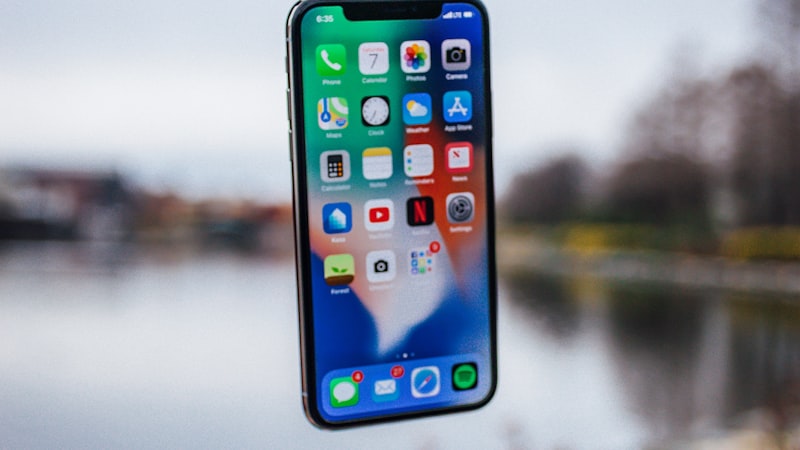
The Impact of Battery Health: When to Replace
One of the most significant factors affecting an older iPhone's performance and perceived speed is its battery health. As lithium-ion batteries age, their maximum capacity decreases, leading to shorter battery life and, potentially, performance throttling imposed by iOS to prevent unexpected shutdowns. You can check your battery's health percentage in Settings > Battery > Battery Health & Charging.
When your iPhone's maximum capacity drops below 80%, you'll likely notice a significant degradation in daily usage. At this point, a battery replacement often breathes new life into an older device, restoring peak performance and extending its usable hours considerably. Official Apple battery replacements, while not inexpensive, are generally a fraction of the cost of a new iPhone and can transform a sluggish, short-lived device into a reliable daily companion once more. Consider the cost-benefit carefully; a new battery might extend your phone's life by another two years, making it a highly worthwhile investment.
Physical Protection and Regular Maintenance
An iPhone that looks good and is free from physical damage tends to feel newer and more enjoyable to use. Protecting your device from drops, scratches, and everyday wear and tear is fundamental to extending its lifespan.
- Screen Protection: A high-quality tempered glass screen protector can absorb impacts and prevent costly display repairs.
- Cases and Covers: A robust case protects the phone's aluminum or stainless steel frame and glass back. As we've explored at iPhone Arc, choosing the right case material can significantly impact durability and aesthetics.
- Port Cleaning: Lint, dust, and debris can accumulate in the Lightning or USB-C port, affecting charging reliability and accessory connections. Gently cleaning these with a non-conductive tool like a wooden toothpick can prevent issues.
- Speaker and Microphone Grilles: Dust build-up can muffle audio. A soft brush or compressed air can help keep these clear for optimal sound quality during calls and media playback.
Regular, gentle cleaning not only preserves appearance but also ensures all components function as intended.
Optimizing Software and Storage for Performance
Even if your iPhone isn't running the latest iOS version, you can still optimize its performance through thoughtful software and storage management. Older chips can struggle with demanding applications or cluttered systems.
- Manage Storage: Regularly review and offload photos, videos, and large apps you no longer use. iOS offers tools to identify storage hogs in Settings > General > iPhone Storage.
- Reduce Background Activity: Disable Background App Refresh for apps that don't need real-time updates (Settings > General > Background App Refresh). This saves battery and frees up system resources.
- Limit Visual Effects: While not as impactful on newer devices, reducing motion and transparency effects (Settings > Accessibility > Motion > Reduce Motion; Settings > Accessibility > Display & Text Size > Reduce Transparency) can make an older iPhone feel snappier.
- App Ecosystem: Consider using 'Lite' versions of social media apps or web versions where available, as they often consume fewer resources.
Keeping your operating system updated to the latest supported version for your device also ensures you have the latest security patches and performance improvements Apple provides for that generation.
Leveraging Accessories for Enhanced Functionality
Sometimes, extending an iPhone's life isn't about making the phone itself last longer, but about augmenting its capabilities to meet modern demands. Accessories can fill gaps or enhance usability:
- External Power: A portable power bank or a battery case can dramatically extend your phone's daily endurance, making a lower battery health percentage less of an immediate concern.
- Wireless Chargers: For iPhones with wireless charging capabilities, MagSafe chargers (if compatible) or standard Qi pads offer convenient power top-ups, reducing wear on the charging port.
- Improved Audio: If your iPhone's speakers are aging, investing in quality Bluetooth headphones or a portable speaker can significantly upgrade your audio experience.
- Camera Accessories: External clip-on lenses can expand the photographic capabilities of older iPhone cameras, offering wide-angle or macro shots without needing a newer device.
By strategically integrating these accessories, you can address common limitations of an older iPhone and maintain a high level of satisfaction with your device.
Conclusion: A Smarter Approach to iPhone Ownership
Extending the life of your iPhone beyond the typical upgrade cycle is a smart strategy that yields both financial and environmental benefits. By proactively managing battery health, protecting the physical hardware, optimizing software, and leveraging clever accessories, your current iPhone can remain a powerful and reliable tool for many years. In 2026, choosing to maintain and maximize your existing device is a testament to mindful consumption and a practical approach to technology ownership.