Maximize Your iPhone's Current Value: Performance Tweaks to Delay Your Next Upgrade
The Evolving Upgrade Calculus
In an era of increasingly incremental iPhone updates, the decision to upgrade has become more nuanced than ever. For many, the annual or biennial cycle no longer offers a compelling enough leap in features or performance to justify the expenditure. At iPhone Evolve, we consistently analyze the value proposition of each generation, and a recurring theme is the remarkable longevity and capability of even slightly older models. But beyond just holding onto your device, there are proactive steps you can take to make your current iPhone feel more responsive, extend its perceived lifespan, and ultimately delay the need for a costly upgrade.
Editor's pick: Refurbished iPhones on Amazon → As an Amazon Associate, this site earns from qualifying purchases.
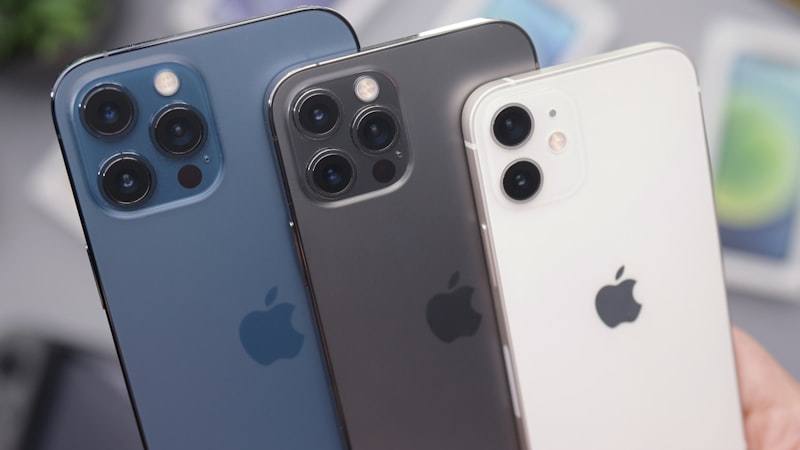
Maximizing the utility of your existing iPhone isn't just about saving money; it's about optimizing your daily experience. Often, the feeling of a 'slow' or 'outdated' phone stems more from accumulated digital clutter and suboptimal settings than from an inherent lack of hardware power. By dedicating a little time to software maintenance and smart usage habits, you can significantly revitalize your device.
Digital Declutter: A Software Deep Clean
One of the most immediate ways to improve your iPhone's responsiveness is to manage its storage and background processes. Over time, apps, photos, videos, and browser caches can consume valuable system resources, leading to slower app launches and general sluggishness.
- Offload Unused Apps: iOS has a smart feature to Offload Unused Apps, which removes the app but keeps its data. This frees up storage without losing your app preferences. For apps you genuinely no longer use, delete them entirely.
- Manage Photos and Videos: These are often the biggest storage hogs. Utilize iCloud Photos to optimize storage, keeping full-resolution originals in the cloud and smaller versions on your device. Regularly review your library and delete duplicates or unwanted media.
- Clear Browser Cache: Safari and other browsers accumulate significant cache data. Clearing this periodically can improve browser performance and free up space. For Safari, navigate to Settings > Safari > Clear History and Website Data.
- Review Downloads: Check the Downloads folder in the Files app and delete any large files you no longer need.
Optimizing iOS Settings for Performance
iOS offers a range of settings that, while enhancing user experience for some, can consume additional battery and processing power. Adjusting these can lead to a snappier feel.
- Background App Refresh: Go to Settings > General > Background App Refresh. Restricting this to only essential apps, or turning it off entirely for most, prevents apps from updating content when not in use, saving battery and CPU cycles.
- Location Services: Many apps request constant access to your location. Review Settings > Privacy & Security > Location Services and set permissions to 'While Using the App' or 'Never' where appropriate.
- Notifications: Excessive notifications can constantly wake your screen and consume resources. Tame your notification settings in Settings > Notifications, prioritizing only what truly needs your immediate attention.
- Reduce Motion and Transparency: For older devices, the visual flourishes of iOS can tax the GPU. In Settings > Accessibility > Motion, enable 'Reduce Motion' and 'Prefer Cross-Fade Transitions'. In Settings > Accessibility > Display & Text Size, enable 'Reduce Transparency'. While subtle, these changes can make the interface feel more fluid.
Refreshing the User Experience
Sometimes, the feeling of 'newness' isn't about raw speed but a refreshed visual and interactive experience. You can achieve this without buying new hardware.
- Home Screen Customization: Experiment with new wallpapers, widgets, and app layouts. iOS offers extensive customization options for creating personalized Home Screens and Focus Modes that can genuinely change how you interact with your device.
- Focus Modes: Beyond just silencing notifications, Focus Modes allow you to curate specific Home Screens and app access for different activities (Work, Personal, Sleep). This streamlined approach can make your phone feel less overwhelming and more purposeful.
- Accessibility Enhancements: Explore the Accessibility settings for visual and interaction improvements. Increasing text size, enabling bold text, or adjusting display accommodations can make your existing screen feel clearer and more comfortable to view. As we often explore in our analysis of visual comfort and display technology at iPhone View, optimizing these settings can significantly enhance readability and reduce eye strain, contributing to a better overall experience.
Smart Battery Management
While hardware battery replacement is a separate consideration, software-level battery management can significantly impact daily performance and the perceived 'health' of your device.
- Low Power Mode: Don't just save it for critical moments. Enabling Low Power Mode for extended periods can throttle background activities and visual effects, giving your phone a noticeable boost in endurance.
- Monitor Battery Usage: Regularly check Settings > Battery to identify which apps are consuming the most power. This insight can help you decide whether to restrict background activity for certain apps or find more efficient alternatives.
Conclusion: Empowering Your Upgrade Decision
The relentless march of technology can create a psychological pressure to constantly upgrade. However, by proactively managing your iPhone's software and optimizing its settings, you can unlock renewed performance and a refreshed user experience from the device you already own.
These practical steps not only extend your iPhone's useful life but also empower you to make an upgrade decision based on genuine need for a specific new feature or a significant leap in hardware capability, rather than simply succumbing to perceived obsolescence. In a world of incremental updates, getting the most out of your current iPhone is a smart, sustainable, and satisfying strategy.