iPhone Performance Throttling: Beyond Battery Health in 2026
iPhone Performance Throttling: Beyond Battery Health in 2026
In 2026, the issue of iPhone performance throttling remains a persistent concern for many users. While Apple initially attributed slowdowns to battery degradation and introduced performance management features to prevent unexpected shutdowns, the reality is far more nuanced. Understanding the factors contributing to performance throttling is crucial for iPhone owners looking to maximize the lifespan and usability of their devices.
Editor's pick: Refurbished iPhones on Amazon → As an Amazon Associate, this site earns from qualifying purchases.
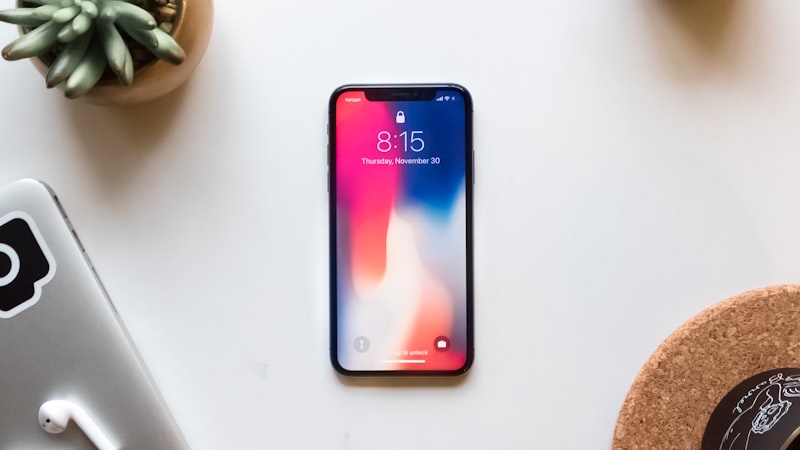
Battery Health: Still a Key Factor
Battery health remains a significant determinant of iPhone performance. As lithium-ion batteries age, their ability to deliver peak power diminishes. This is an inherent characteristic of the technology, and even with advancements in battery chemistry, degradation is unavoidable. Apple's performance management system, designed to prevent unexpected shutdowns on iPhones with degraded batteries, reduces peak performance to maintain stability. Users can check their battery health in Settings, and replacing a significantly degraded battery will often restore performance to near-original levels. However, this is only one piece of the puzzle.
Thermal Management: The Silent Governor
Thermal management plays an increasingly vital role in iPhone performance throttling. Modern iPhones, with their powerful processors and demanding applications, generate considerable heat. Sustained high temperatures can damage internal components and accelerate battery degradation. To mitigate these risks, iPhones employ thermal throttling mechanisms that reduce CPU and GPU clock speeds when temperatures exceed safe thresholds. Factors such as ambient temperature, intensive gaming, video recording, and even prolonged use of augmented reality applications can trigger thermal throttling. The shift towards increasingly compact designs, explored in depth at iPhone Arc, further exacerbates thermal management challenges.
Software Optimization and Resource Demands
Software updates, while often introducing new features and security patches, can also contribute to perceived performance throttling. Newer versions of iOS are typically optimized for the latest iPhone models, which boast faster processors and more RAM. Consequently, older iPhones may struggle to run these updates as smoothly, leading to slowdowns and increased battery drain. Furthermore, the increasing complexity and resource demands of modern applications can strain older hardware. Developers often prioritize performance optimization for newer devices, potentially leaving older iPhones behind.
The Role of Storage and Background Processes
Available storage space and background processes can also impact iPhone performance. A nearly full storage drive can significantly slow down read and write speeds, affecting overall responsiveness. Similarly, excessive background activity, such as app refreshes and location services, can consume processing power and battery life, leading to performance degradation. Regularly managing storage and limiting background activity can help alleviate these issues.
Apple's Stance and User Expectations
Apple has been transparent about its performance management strategies, but user expectations remain high. While throttling is intended to protect the device and prevent unexpected shutdowns, it can be frustrating for users who perceive a significant performance decline. Apple's continued efforts to improve battery technology, thermal management, and software optimization are crucial for addressing these concerns. Furthermore, providing users with more control over performance settings and battery management could help bridge the gap between Apple's intentions and user expectations. Understanding the intricacies of display technology, as we explored in our analysis of display technology at iPhone View, is essential to understanding the overall power demands placed on the device.
Beyond Hardware: The Software Component
The software ecosystem surrounding iPhones plays a significant role in perceived performance. Bloated apps, poorly optimized code, and excessive background activity can all contribute to a sluggish user experience. While Apple provides tools and guidelines for developers to optimize their apps, the responsibility ultimately lies with the developers themselves. Regular app updates, designed to improve performance and fix bugs, are crucial for maintaining a smooth user experience. Users can also take steps to manage their app usage, such as closing unused apps and disabling background refresh for apps that are not frequently used.
Conclusion: A Multifaceted Issue Requires a Holistic Approach
iPhone performance throttling in 2026 is a complex issue stemming from a combination of factors, including battery health, thermal management, software optimization, storage constraints, and background processes. While battery replacement can often improve performance, it is essential to address the other contributing factors to ensure a consistently smooth and responsive user experience. By understanding the multifaceted nature of performance throttling, iPhone users can make informed decisions about how to manage their devices and extend their lifespan.